Widget Generator: Create Property Listings with Interactive Maps
Build property listing widgets – gallery, list, table, carousel or map with price pins – choose filters, language and colours, and embed them on any website in minutes.
5 min read
Your website should always show your current listings – without anyone copying properties by hand. With the Work247 widget generator you design property widgets once, embed them on your website, and every change in your portfolio appears there automatically: new listings show up, price changes update, sold properties disappear.
Widget types
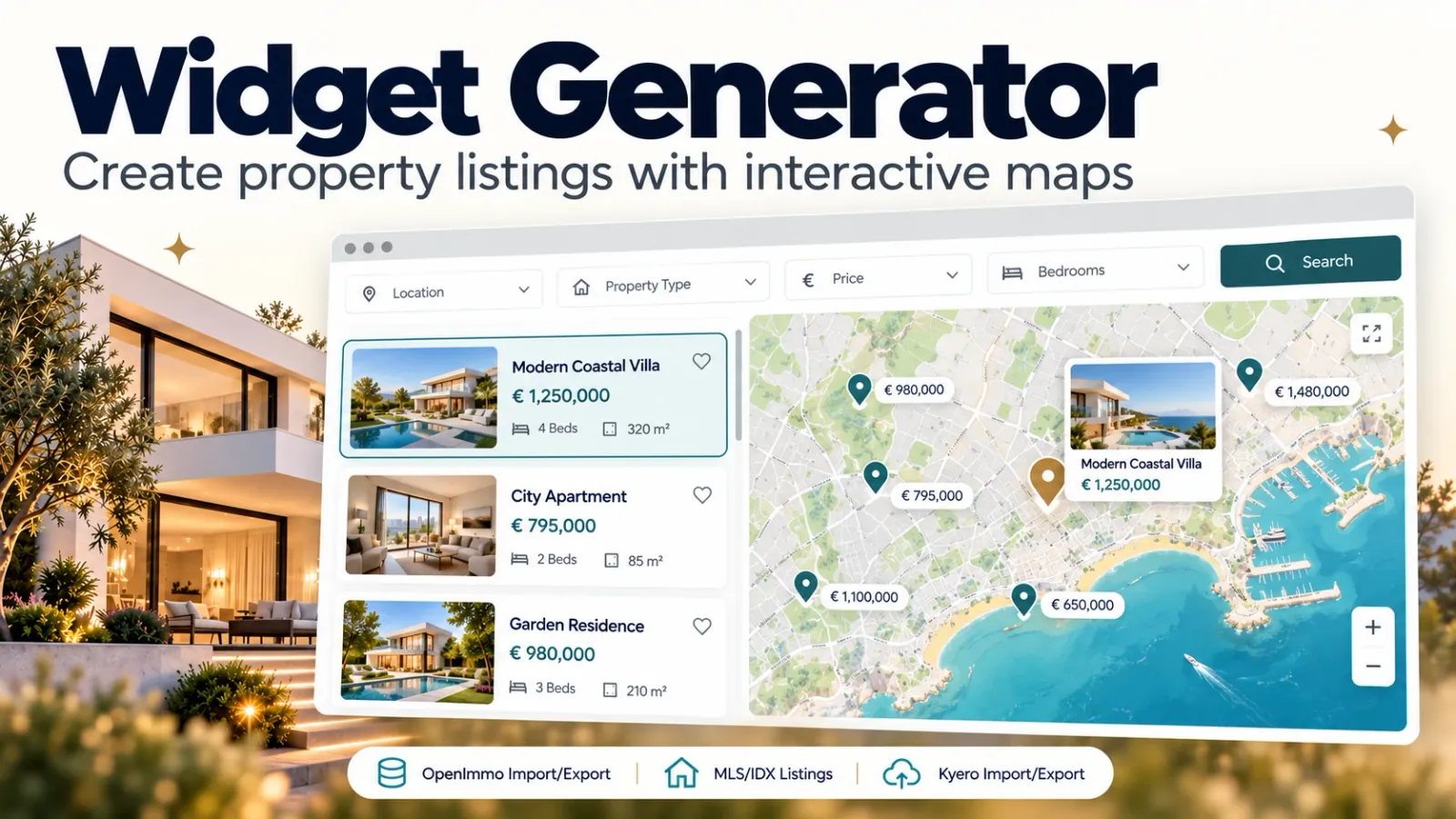
- Properties: your listings as gallery, list, table, carousel or map with list.
- MLS search: a live search across your MLS with results, detail pages and map (US and Canada, with your own MLS access).
- Property landing page: one property with large title image, key facts, gallery, map and an enquiry form – ideal for ads and funnels.
- Search request form: prospects save what they are looking for; new matches trigger your automations.
- Valuation: an owner-lead form that delivers an estimated value and a PDF report.
The map view
With “Map with list”, the widget shows your properties as cards on the left and a map with price pins on the right. Clicking a pin scrolls the list to the property; clicking a card opens the detail view as a side panel. Properties close to each other are grouped, and on smartphones list and map are stacked.
Work247 uses its own map data instead of Google Maps. Locations are determined from the address automatically – and if an address is not released for publication, the pin only shows the approximate location by postcode or town.
Create your first widget
- 1Open “Website widgets” and create a new widget of type “Properties”.
- 2Choose the view – gallery, list, table, carousel or map with list.
- 3Set filters (e.g. only properties for sale, only one city), the language and your colours: a primary colour and a second colour for prices.
- 4Check the live preview and save.
- 5Copy the embed code – HTML, WordPress or the ready-made AI Studio prompt – and add it to your website.
Detail pages that rank
Every property gets its own detail page with a readable address, structured data for search engines, pictures, floor plans, documents, a map and an enquiry form. Each enquiry arrives in your CRM as a contact, already linked to the property – so no lead gets lost.
- Labels in the visitor's language – six languages available.
- Units and currencies per property: sq ft and dollars for MLS listings, m² and euros for European properties.
- Spam protection on every form.
- Change a widget once in Work247 – it updates on every page where it is embedded.